Assets Price Archive
The Asset Value Chart is a powerful feature in the Iron Ore Procurement System Software, designed to help users track, analyze, and manage asset prices efficiently. Below are the key capabilities and features of the Asset Value Chart:
1. Asset Selection
Users can select from a comprehensive list of assets to view and manage their price data. The datas are published daily from various trusted sources including Platts, Fastmarkets MB, and other industry-standard price reporting agencies.
- Iron Ore 58% Fe
- Iron Ore 62% Fe
- Iron Ore 65% Fe
....
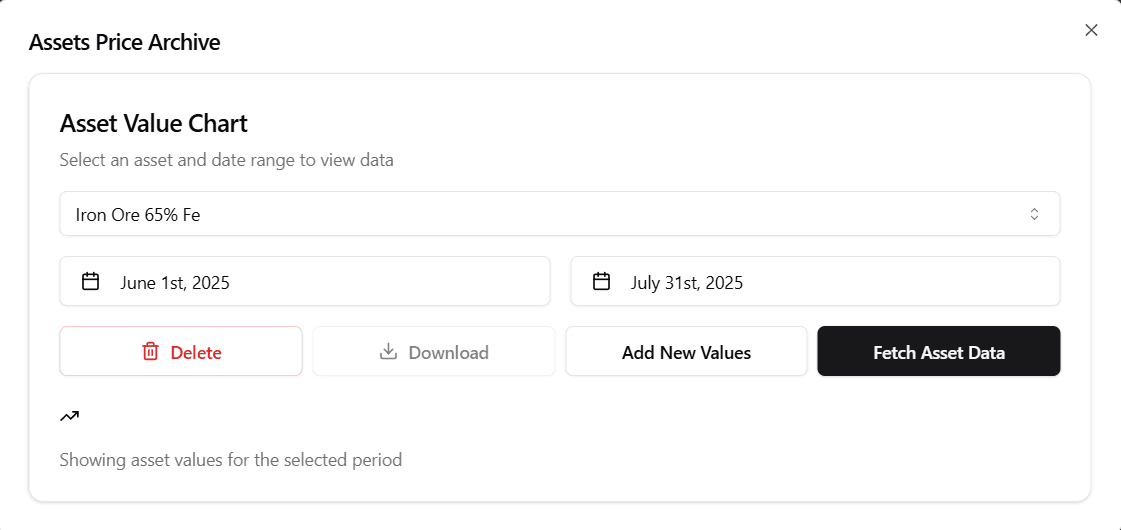
This selection allows users to focus on the specific asset they are interested in.
2. Date Range Selection
Users can specify a start and end date to define the period for which they want to view asset values. This flexible date range selection helps in analyzing trends over custom timeframes.
3. Chart and Data Retrieval
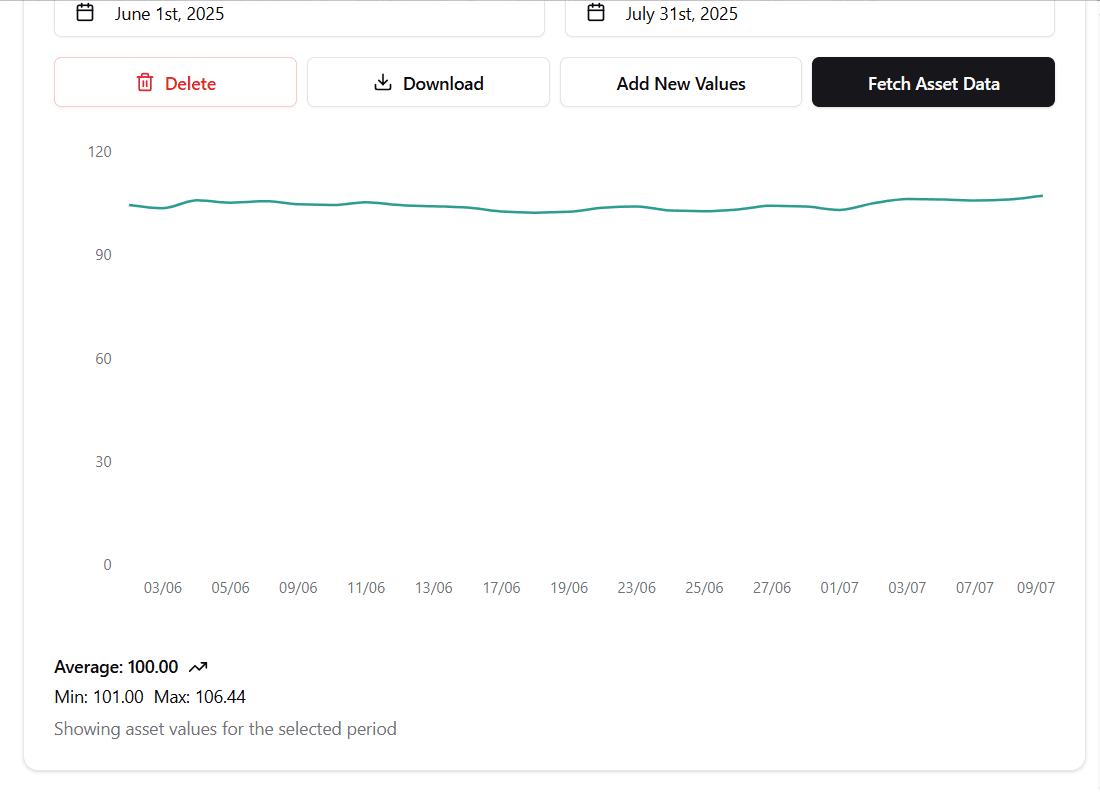
Once an asset and date range are selected, the system retrieves and displays:
- A line chart visualizing the asset's value over the selected period
- Key statistics including:
- Average value
- Minimum value
- Maximum value
Note:
All values shown in the screenshots and examples are dummy data used to demonstrate functionality. They do not represent actual market prices or historical data.
This provides users with a clear and immediate understanding of asset price movements and trends.
4. Export to Excel
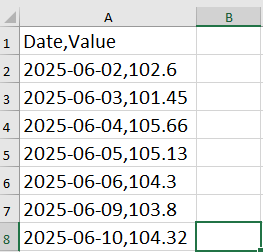
Users can export the displayed asset values and statistics to an Excel file by clicking the Download button. This feature is useful for reporting, sharing, or further offline analysis.
Note:
All values shown in the screenshots and examples are dummy data used to demonstrate functionality. They do not represent actual market prices or historical data.
5. Adding New Asset Values
The system allows users to add new values for one or more assets on a specific date. Users can:
-
Select the date for the new entry
-
Choose one or more assets
-
Enter the corresponding values
-
Save the new values to the database
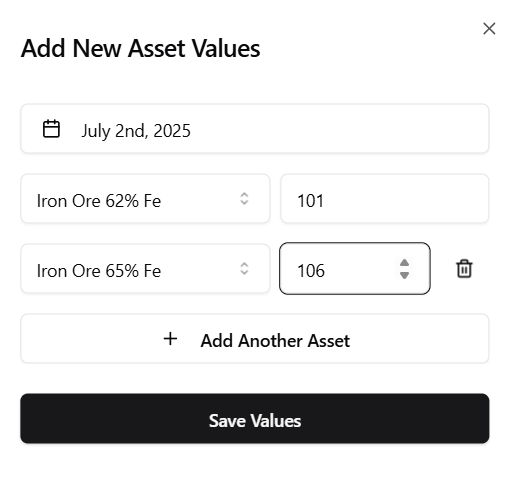
This ensures that the asset price archive remains up-to-date and accurate.
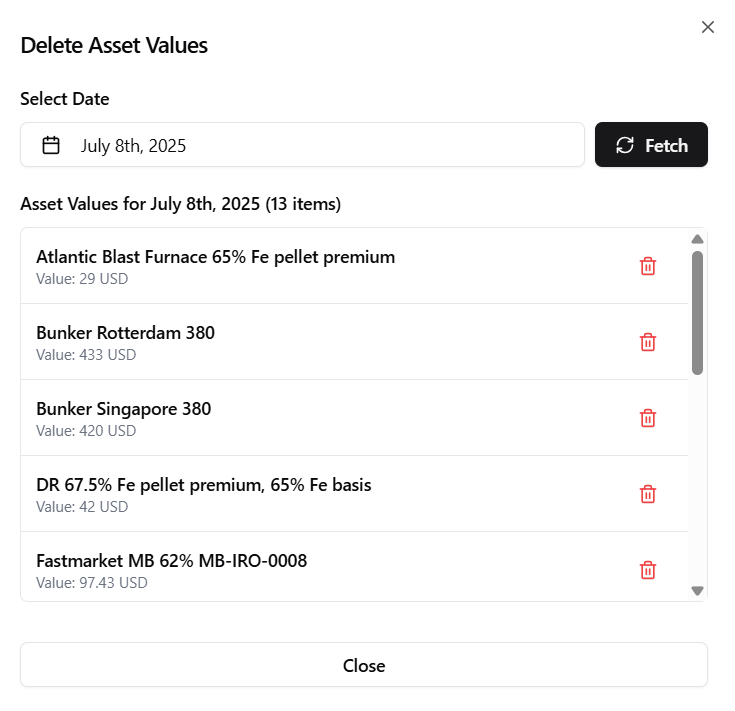
6. Deleting Asset Values
If a value is entered incorrectly or needs to be removed, users can easily delete the unwanted entry. This helps maintain data integrity and accuracy in the asset price archive.
Note:
All values shown in the screenshots and examples are dummy data used to demonstrate functionality. They do not represent actual market prices or historical data.
The Asset Value Chart thus provides a comprehensive and user-friendly interface for managing asset price data, supporting informed decision-making in iron ore procurement and related activities.